
MYCFO for Builders & Contractors
Track every project and job, from the first purchase to the final profit. Built on the MYCFO Windows desktop accounting core.
Made for builders & contractors
MYCFO for Builders & Contractors is aimed at:
- General building contractors
- Civil and construction companies
- Specialist trade contractors (electrical, plumbing, HVAC, finishing)
- Property developers who manage construction projects
Built for builders & contractors
Industry features included in MYCFO for Builders & Contractors today.
Projects
Keep a Project List for every contract, site or development.
Jobs linked to projects
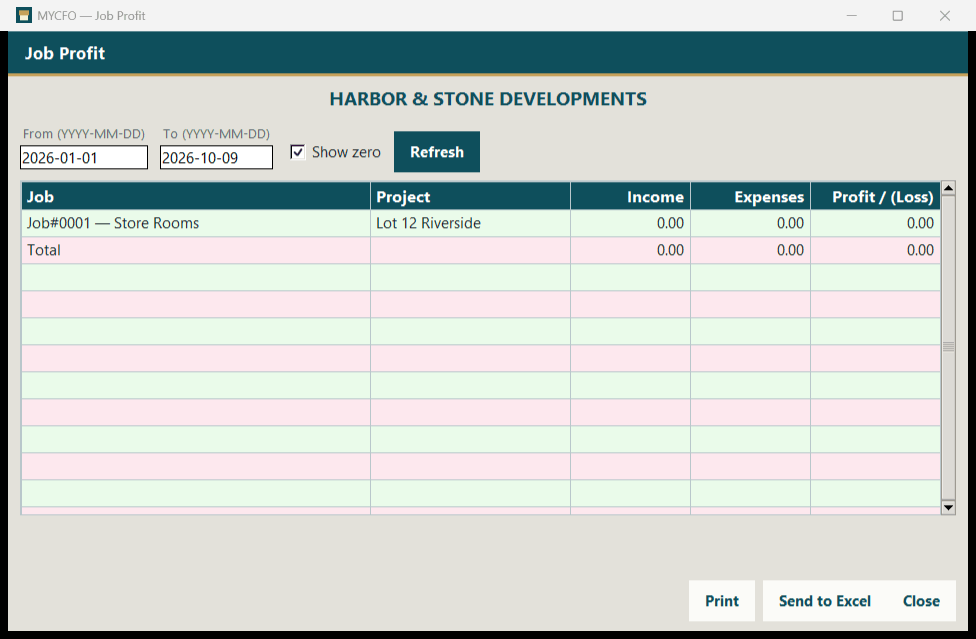
Break each project into jobs, kept in a Job List.
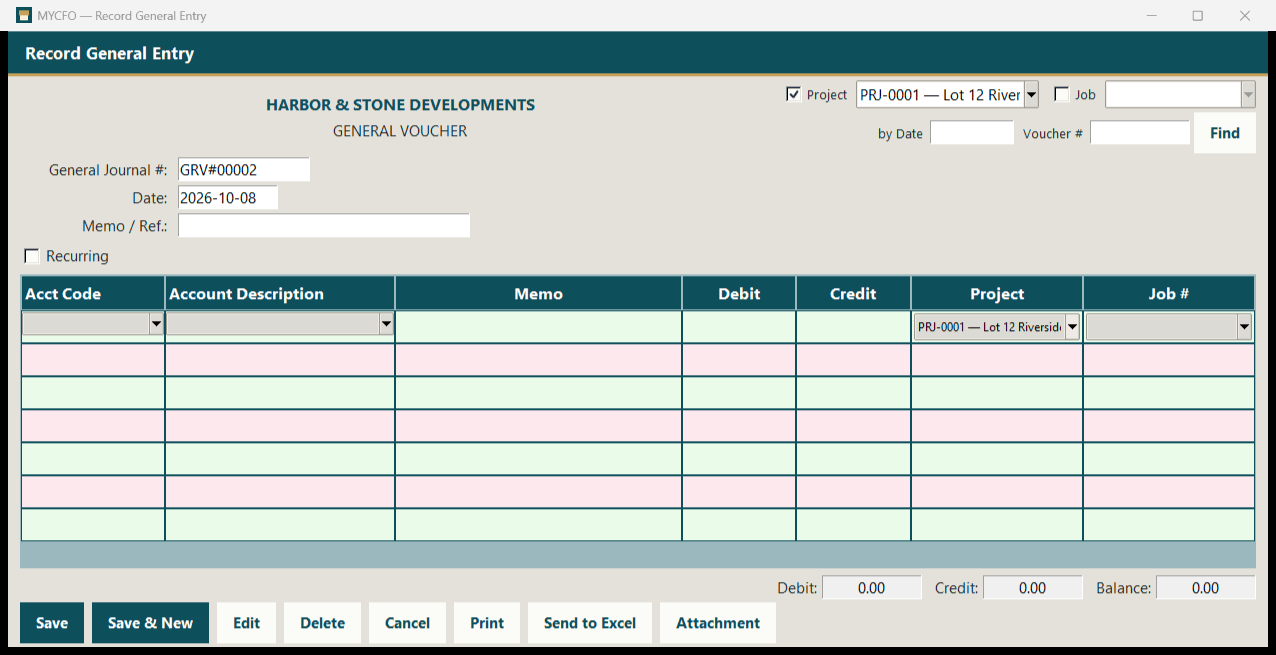
Project & Job on every voucher line
Tag each line of a voucher to a project and a job.
Branches
Tag vouchers and journal lines to branches as well.
Project & budget opening balances
Start with opening balances for projects and budgets.
Project cost tracking
See what each project has cost so far.
Project, job and branch reports
- Project Profit
- P&L by Project
- P&L by Job
- Job Profit
- Job List
- Project List
- P&L by Branch
Plus the full set of 167 MYCFO reports, including 13 in the Projects, Job, Budget tab.
What makes accounting hard in this industry
Costs spread across many projects
Materials, labour and subcontractor costs arrive from several projects at once and must end up in the right place.
Knowing which jobs make money
Without project and job tagging it is hard to see the real profit on each piece of work.
Heavy supplier paperwork
Delivery notes, supplier invoices and subcontractor bills pile up and are hard to find when questions arise.
Budgets vs reality
Owners need to compare what was budgeted with what was actually spent.
Plus the full MYCFO core
These MYCFO features are available now. Highlighted cards show how they apply to builders & contractors.
Accounts & general ledger
4-level chart of accounts, Record General Entry, General Journal, Recurring Transactions and Budget.
Banking
Bank Payment and Bank Receipt vouchers with Paid To / Received From.
Purchase & Sale
Purchase bills and vendor payments for suppliers and subcontractors; sales and customer receipts for client billing.
Inventory
Item list, stock received and consumed, and a Stock Register.
Payroll
Employees and salary sheets.
Projects & Jobs
Projects and linked jobs on every voucher line, with project budgets and opening balances.
Branches
Use branches for regions or divisions, alongside projects and jobs.
167 reports
Index to Reports across 9 tabs, including Trial Balance, Balance Sheet, P&L, Cash Flow and ageing.
Attachments
Keep delivery notes, supplier invoices and subcontractor bills attached to the voucher they support.
Tax codes
Tax by code and rate on document lines. Does not prepare national tax returns.
Home currency per company
Choose each company's home currency from 154 world currencies. Vouchers are entered in the home currency.
Excel, print & backups
Excel import/export, Print and Send to Excel everywhere, and dated backups with Restore.
See MYCFO for Builders & Contractors in action
Request a demo, or talk to our sales team about your projects. Prices in USD. Customers worldwide welcome.